The guild, on your desktop
A small app that sits next to Battle.net. Your reviews, partners, messages and guild addons in one place, and your arena games go up on their own.

 Your reviews, in the appMy reviews, match history and replays. The same pages as the site, without opening a browser.
 PartnersPost on the 3v3 or 2v2 board and ping guildies who are online near your rating.
 MessagesGuild chat, partner chats and direct messages.
 Guild onlineSee who's in arena, in game or has the app open.
 Guild addons kept up to dateThe app installs the Glad Adjacent addon and updates it for you.
 Arena games sent for youWhen WoW closes, the app sends your new arena games and the site builds your review.
Start WoW from Battle.net as usual. The app has no Play button.
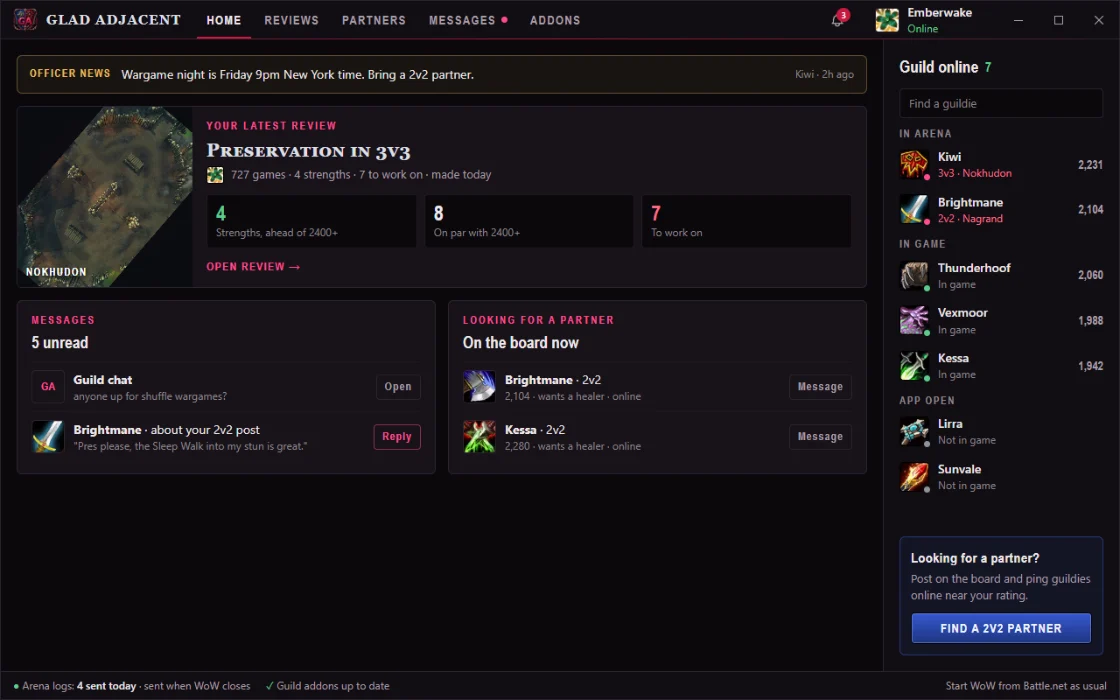
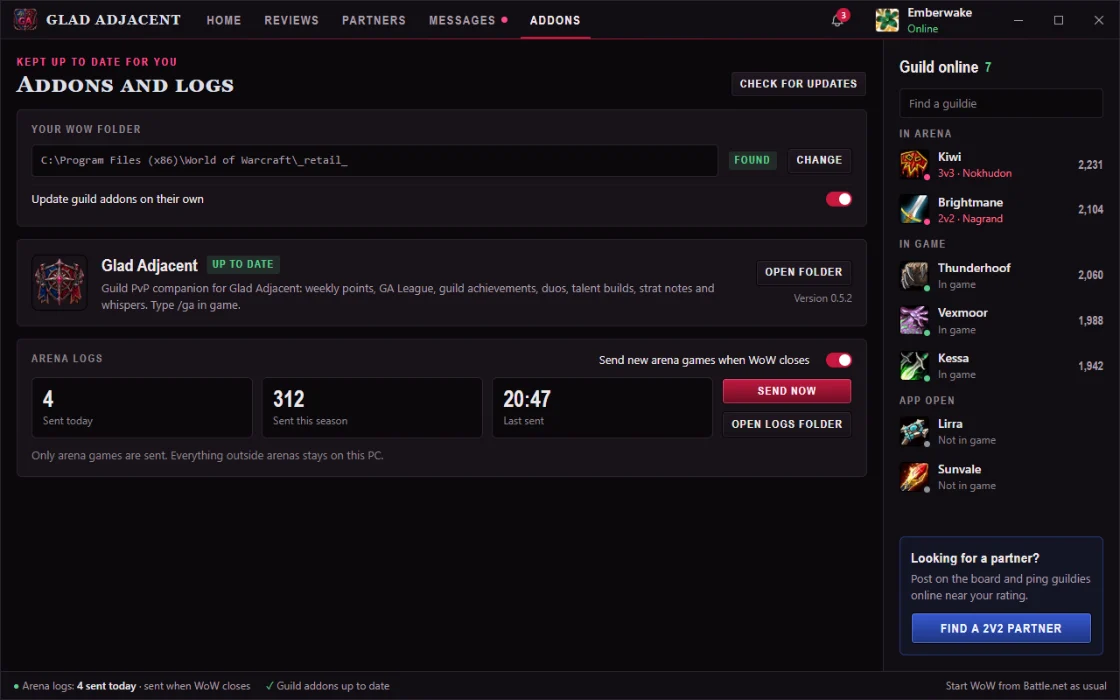
Screenshots from a test run, with made-up guildies.
Four steps
-
1
Download the zip
One zip file with the app inside. Keep it somewhere easy to find, like your Downloads folder.
Download version 1.0.1 -
2
Put it in its own folder
Right-click the zip, choose Extract All, and pick your Desktop. You get a
Desktop\Glad Adjacentfolder withGlad Adjacent.exein it.Keep the app in that folder. It keeps your settings and updates next to itself. Don't open it from inside the zip.
-
3
Open Glad Adjacent.exe
The first time, Windows may say Windows protected your PC. Click More info, then Run anyway.
The app isn't signed with a paid certificate, so Windows doesn't know it yet.
-
4
Sign in with your guild code
Members and officers each have their own code. Ask an officer for yours.
It updates itself
Once a day the app checks the site for a new version. When there is one, it asks you first, then installs it and opens again a few seconds later. Your settings and sign-in stay.
Mac and Linux: not yet. The app is Windows only for now.
What it sends
- 1Only arena games from your combat logs. Everything else in your logs stays on your PC.
- 2Never your Battle.net password. You sign in with your guild code.
- 3Whether you're in arena, in game or have the app open, for Guild online. You can turn that off in the app.
If something's not right
Windows says it protected your PC
Click More info, then Run anyway. Windows asks only the first time.
Windows blocked it and there's no Run anyway
That's Smart App Control, which blocks apps it doesn't know yet. Ask in the Discord and we'll help.
The app opens to an empty or error window
It was probably opened from inside the zip. Extract it first (step 2), then open Glad Adjacent.exe from the folder.
I don't have a code, or lost mine
Ask any officer. They can make you a new one.