Our guild, inside the game
Built by Failed for this guild. It rewards playing, not rating, and makes finding games with guildies a single click.
- Weekly boardEvery game earns points, wins earn more. Officers run weekly rewards.
 Find a groupPost a group, challenge a team to a wargame, sign up for Wargame night.
 MilestonesPopups when a guildie hits a first win, a personal best or a new rating.
 Talent builds and strat notesShare your build, import a guildie's in one click, and keep matchup notes.
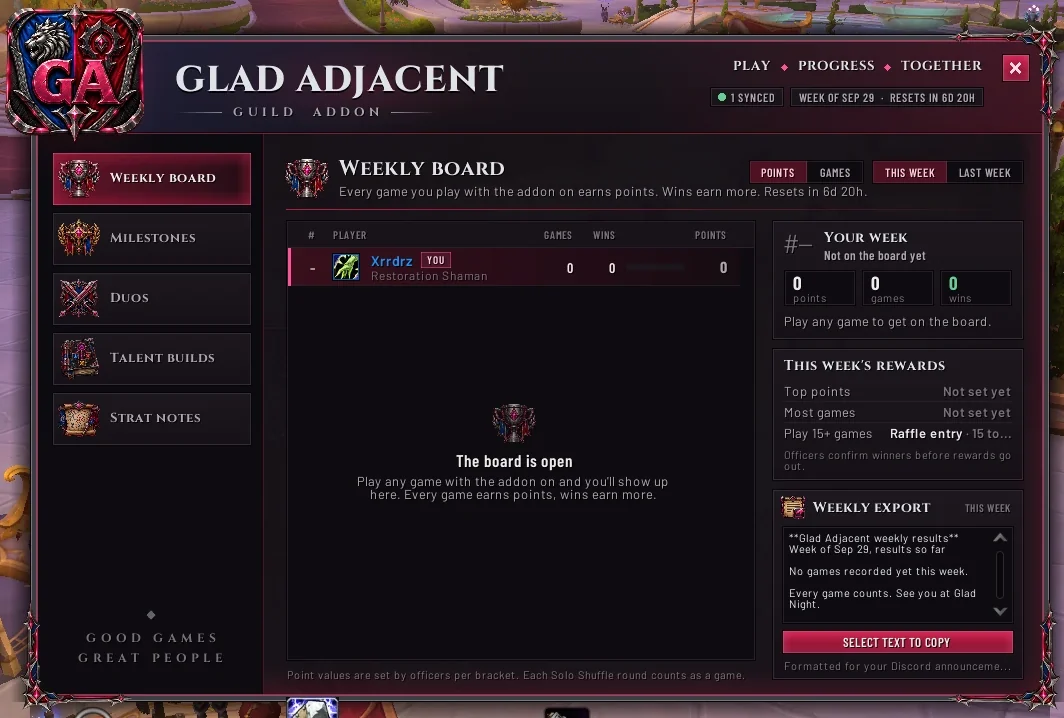
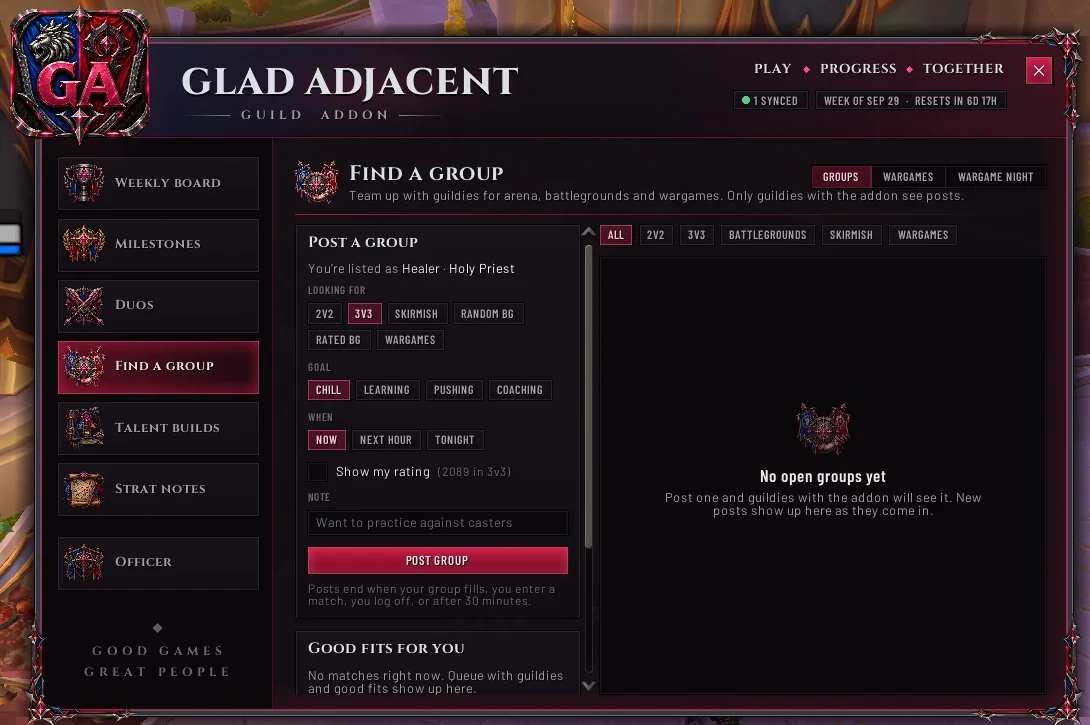
Real screenshots from the guild's first test.
Install in four steps
Takes about two minutes. You only need to do this once; updating is even quicker.
-
1
Download the addon
Grab the zip file. Keep it somewhere easy to find, like your Downloads folder.
Download version 0.2.1 -
2
Find your AddOns folder
The easiest way: open the Battle.net app, select World of Warcraft, click the gear icon next to Play and choose Show in Explorer (Show in Finder on Mac). Then open
_retail_, thenInterface, thenAddOns.Most installs are here:
WindowsC:\Program Files (x86)\World of Warcraft\_retail_\Interface\AddOnsMac/Applications/World of Warcraft/_retail_/Interface/AddOnsNo
InterfaceorAddOnsfolder yet? Create them yourself, with exactly those names. On Windows you can paste the path into the File Explorer address bar to jump straight there. -
3
Unzip it into AddOns
On Windows, right-click the zip, choose Extract All, and pick the AddOns folder. On Mac, double-click the zip and drag the Glad Adjacent folder into AddOns.
✓Right- AddOns
- Glad Adjacent
- Glad Adjacent.toc
- Core
- Features
- Media
- UI
✗Wrong: a folder inside a folder- AddOns
- Glad Adjacent
- Glad Adjacent
- Glad Adjacent.toc
- Core
WoW won't see it like this. Move the inner Glad Adjacent folder up one level.
-
4
Start WoW and open it
If WoW was open, close it completely and start it again. A
/reloadisn't enough for a new addon. At character select, click AddOns and make sure Glad Adjacent is ticked. Log in and type/ga.Guildies who have the addon sync with you automatically within a minute. You don't need to be grouped or nearby.
Getting a new version
- 1Close WoW.
- 2Delete the old
Glad Adjacentfolder from AddOns. - 3Unzip the new version into AddOns, the same way as before.
Your points, milestones, builds and settings aren't in the addon folder. They're saved separately by WoW, so updating never loses them. Everyone in the guild should run the same version so syncing works.
Type these in chat
/ga | Open or close the window |
/ga lfg | Find a group |
/ga wargames | Team vs team wargames |
/ga night | Wargame night sign-ups and teams |
/ga scale 0.9 | Make the window smaller or bigger (or drag a corner) |
/ga reset | Put the window back in the middle at normal size |
/ga help | Show every command |
If something's not right
Glad Adjacent isn't in the AddOns list
Check the folder layout in step 3. The Glad Adjacent.toc file has to be directly inside AddOns\Glad Adjacent. Also make sure you used the _retail_ folder, not _classic_ or _classic_era_. Then restart WoW completely.
The icons or crest are missing
WoW only picks up new files when the game starts. Close WoW fully and start it again.
It says "1 synced" but my guildies have it
Give it a minute after logging in. Everyone needs to be in the guild and on the same version. If it still says 1 after a few minutes, type /reload.
I got a Lua error
Install BugSack from CurseForge so errors are collected in one place. Screenshot the first Glad Adjacent error and post it in the Discord, and Failed will take a look.